MCP vs CLI: When Does the Advice Actually Apply?
March 28, 2026
Abstract
There's an increasingly popular piece of advice: use a CLI instead of an MCP to save tokens. We tested this with Hooklistener's MCP and found the answer is more nuanced than expected. A practical guide on when to use each approach based on tool complexity.
Introduction
There’s an increasingly popular piece of advice in the coding agents world: use a CLI instead of an MCP to save tokens. After reading posts like this one from HumanLayer, where they show how they replaced Linear’s MCP with a CLI wrapper and saved thousands of tokens, I wanted to test it with our own Hooklistener MCP.
The result? As with almost everything in engineering: it depends.
Why Can an MCP Be Expensive?
When you connect an MCP to your agent, all its tool definitions get injected into the system prompt. The more tools the MCP defines, the more context it consumes — even before you do anything. The HumanLayer article illustrates this well: they replaced Linear’s MCP (which exposes dozens of tools) with a CLI wrapper and 6 usage examples in their CLAUDE.md, saving thousands of tokens on tool definitions they didn’t even need.
But what happens when the MCP is simple?
Case 1: A Simple MCP (Few Tools)
Hooklistener’s MCP lets you do a handful of specific actions: create endpoints to receive webhooks, list incoming requests, inspect them, resend…
With MCP
Let’s ask Claude Code to create a new endpoint to receive Stripe requests:
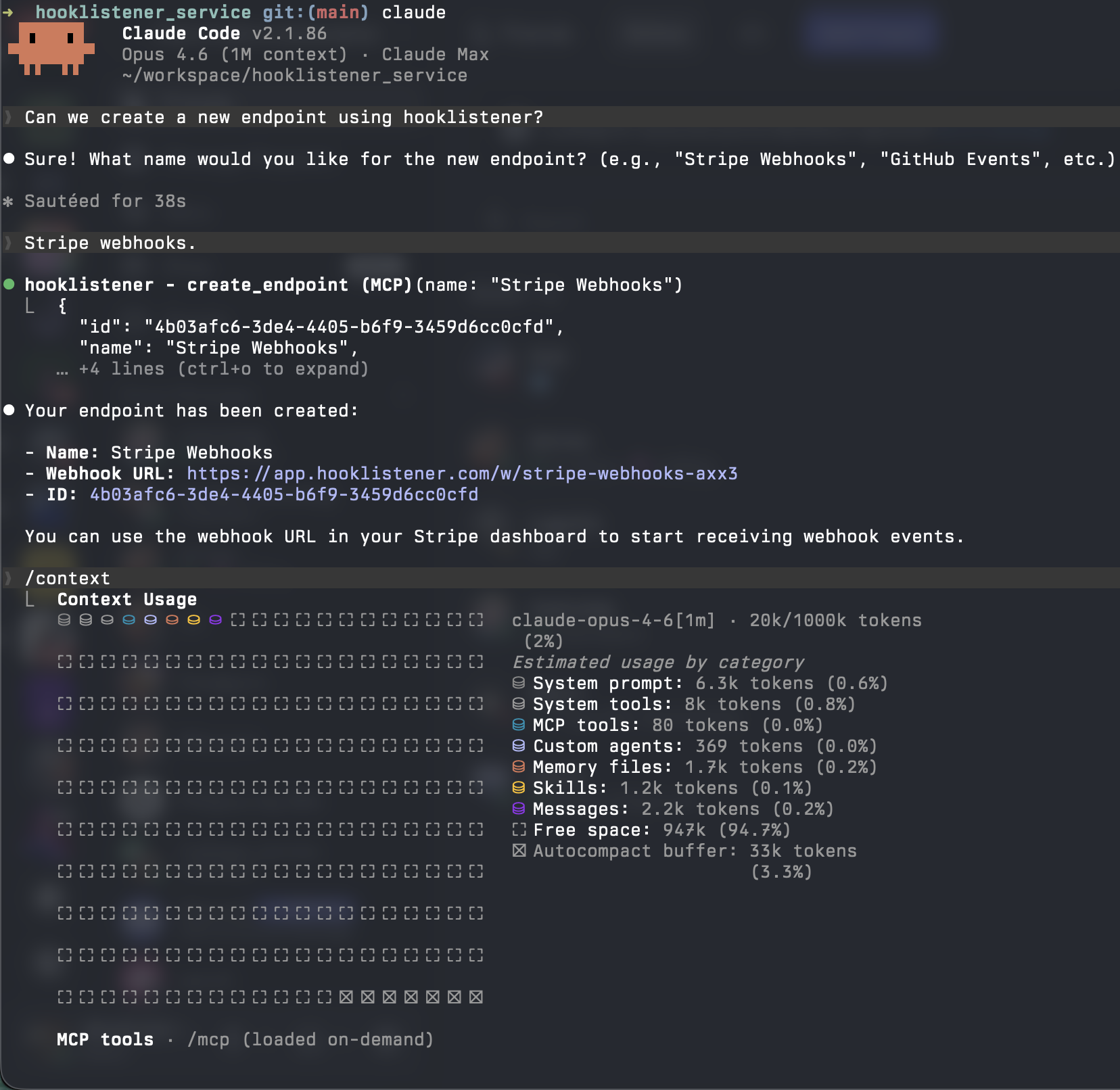
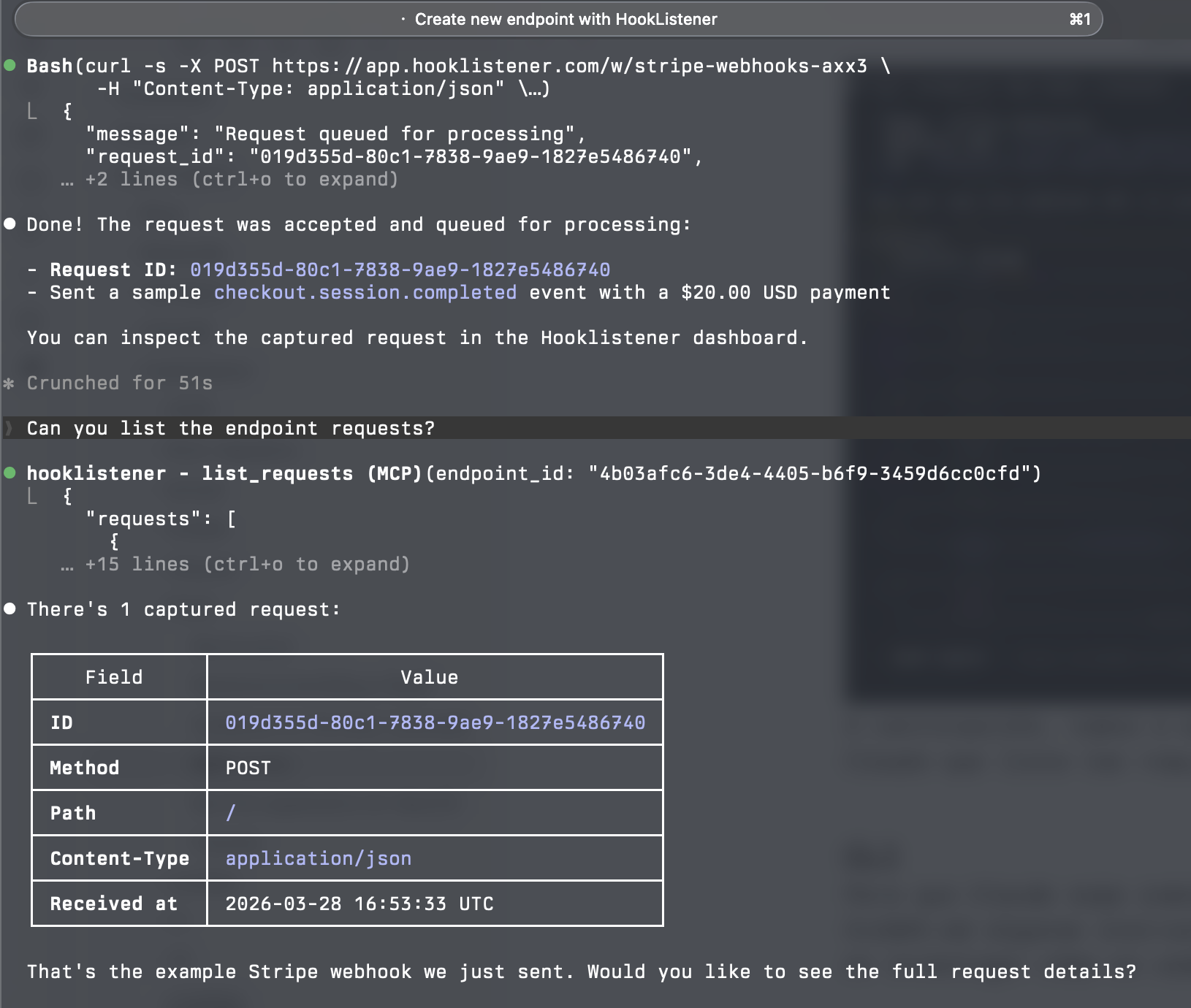
Next, we send a sample request and ask Claude to list the requests on this new endpoint:
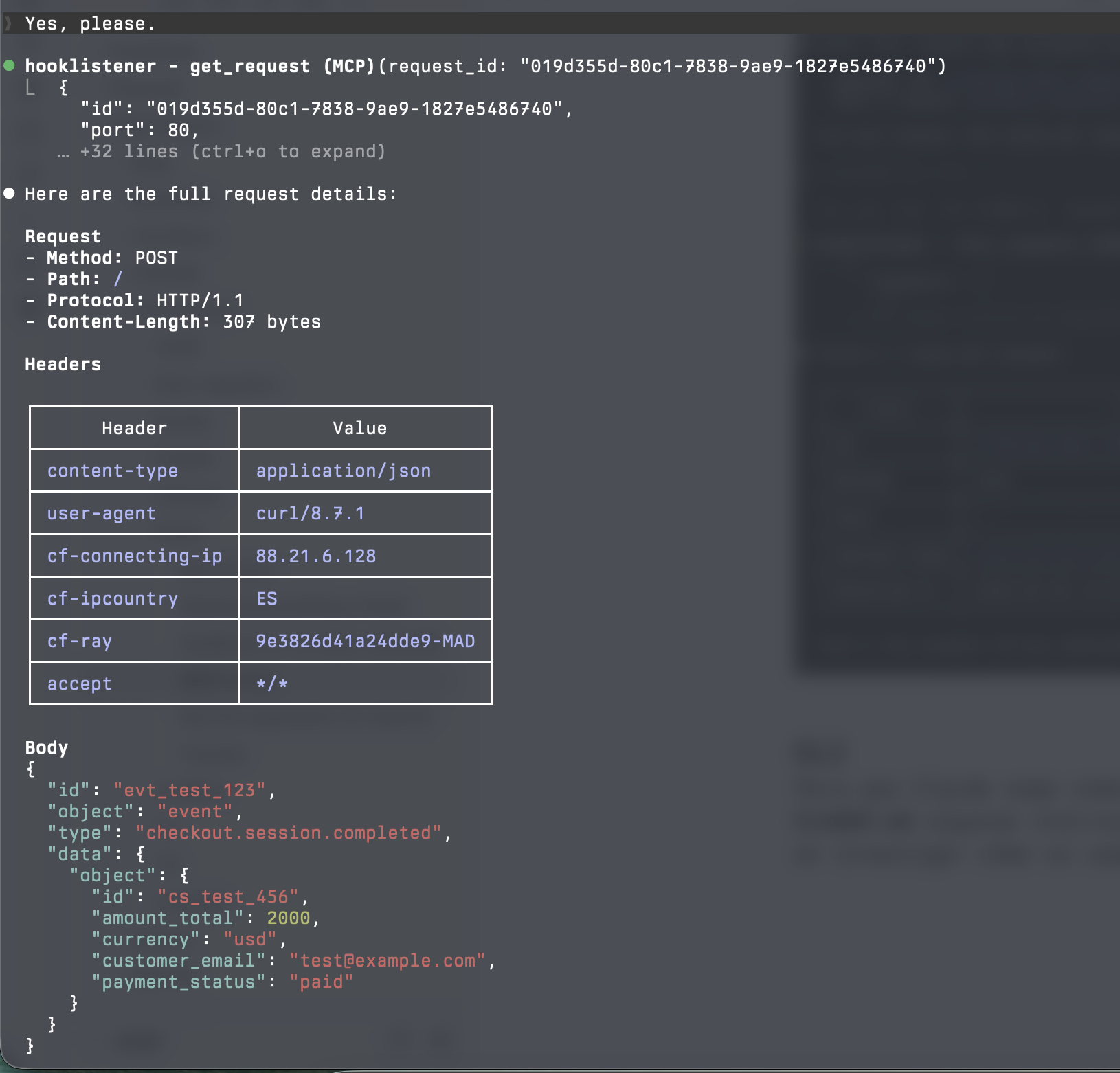
Now, we ask for the details of that specific request to see its payload, headers…
Let’s check the context used so far:
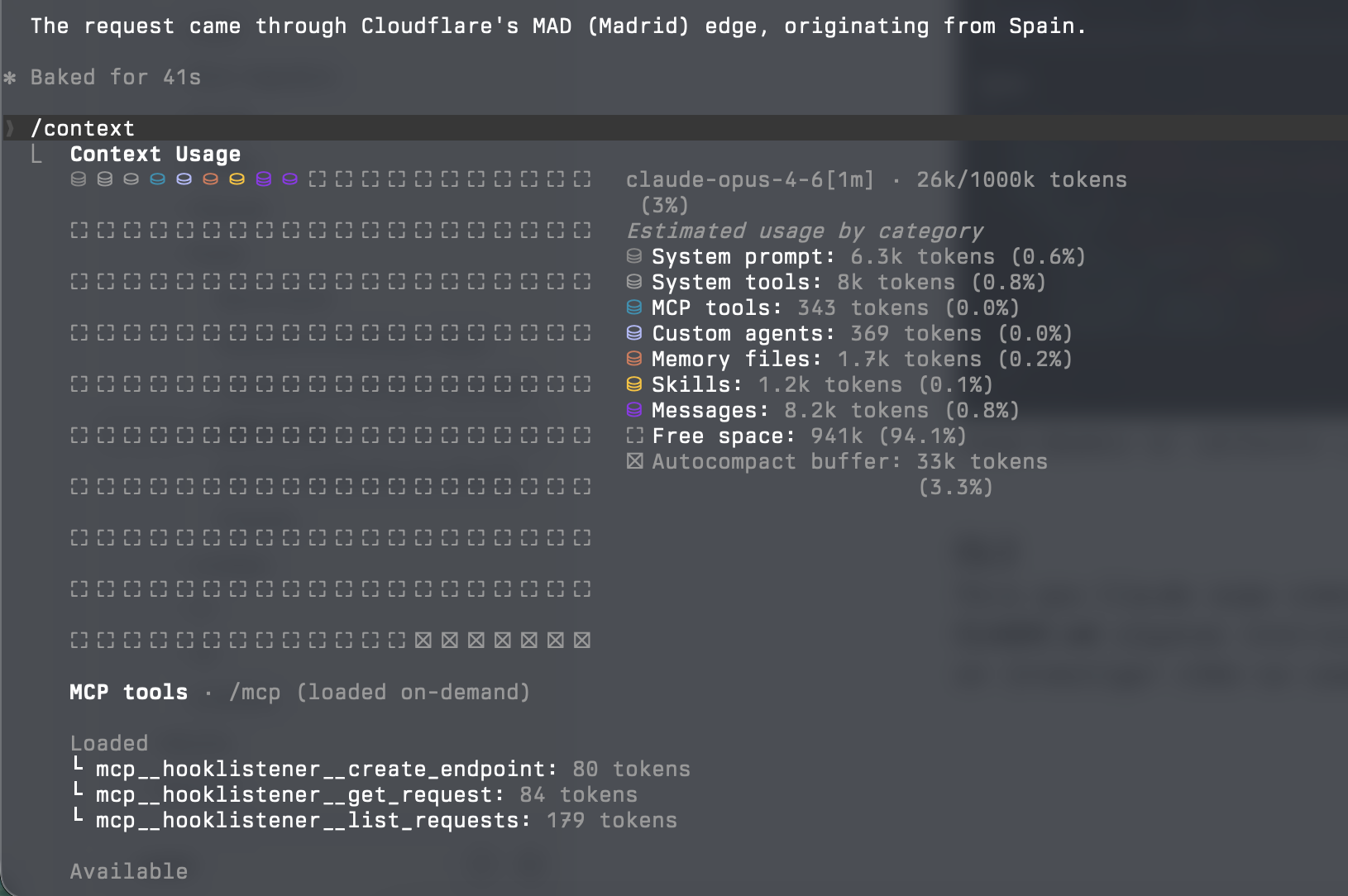
343 tokens. Not bad.
With CLI
For Claude to know how to use our CLI, we need to give it instructions. We ask Claude Code to create a Skill with the documentation:
Can we create a claude code skill, hooklistener-cli, with the
instructions about how to use the "hooklistener" cli?
See "hooklistener help"
After 23k tokens, we have it:
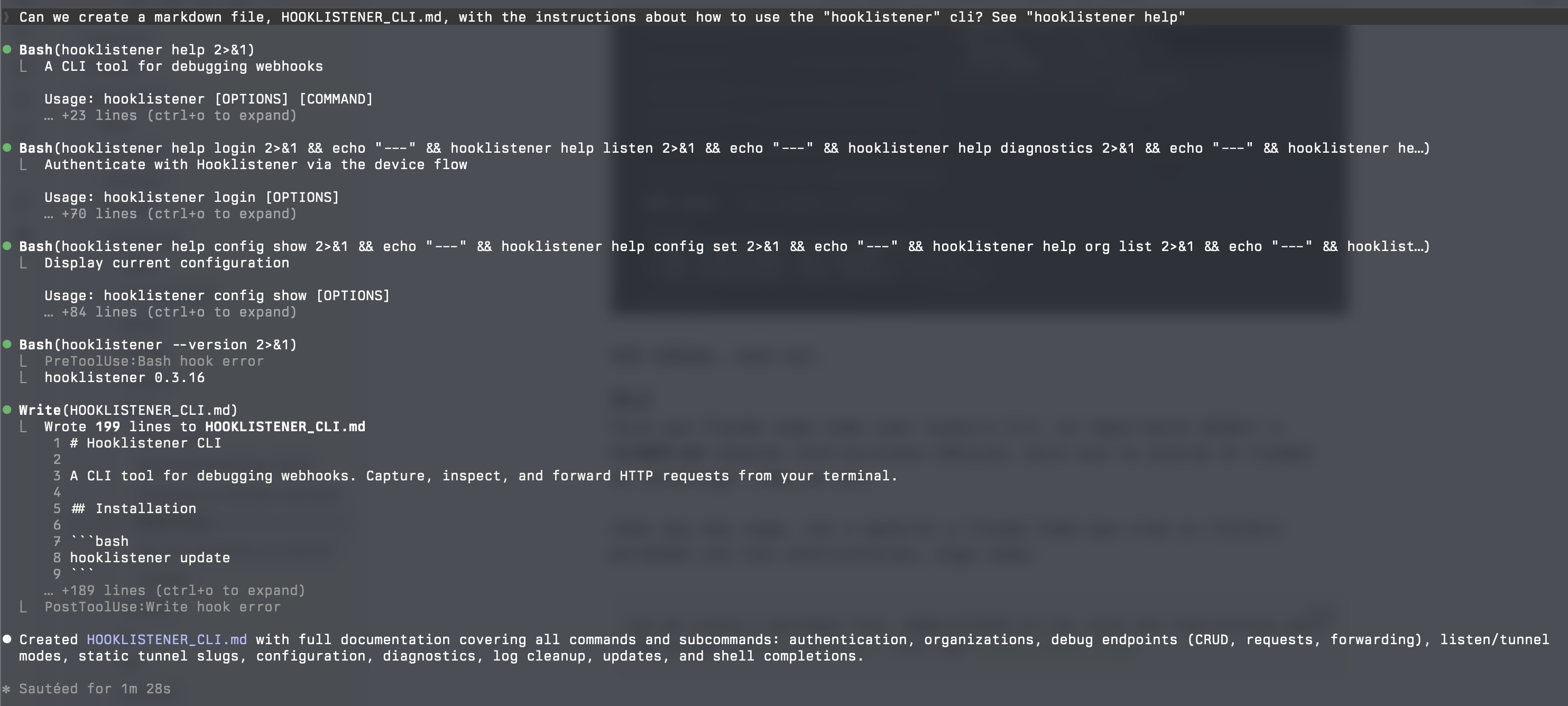
This is a one-time cost — and if you work on a team, you can commit the skill to the repo so everyone benefits.
Let’s ask for the same thing: create an endpoint and send a sample request:
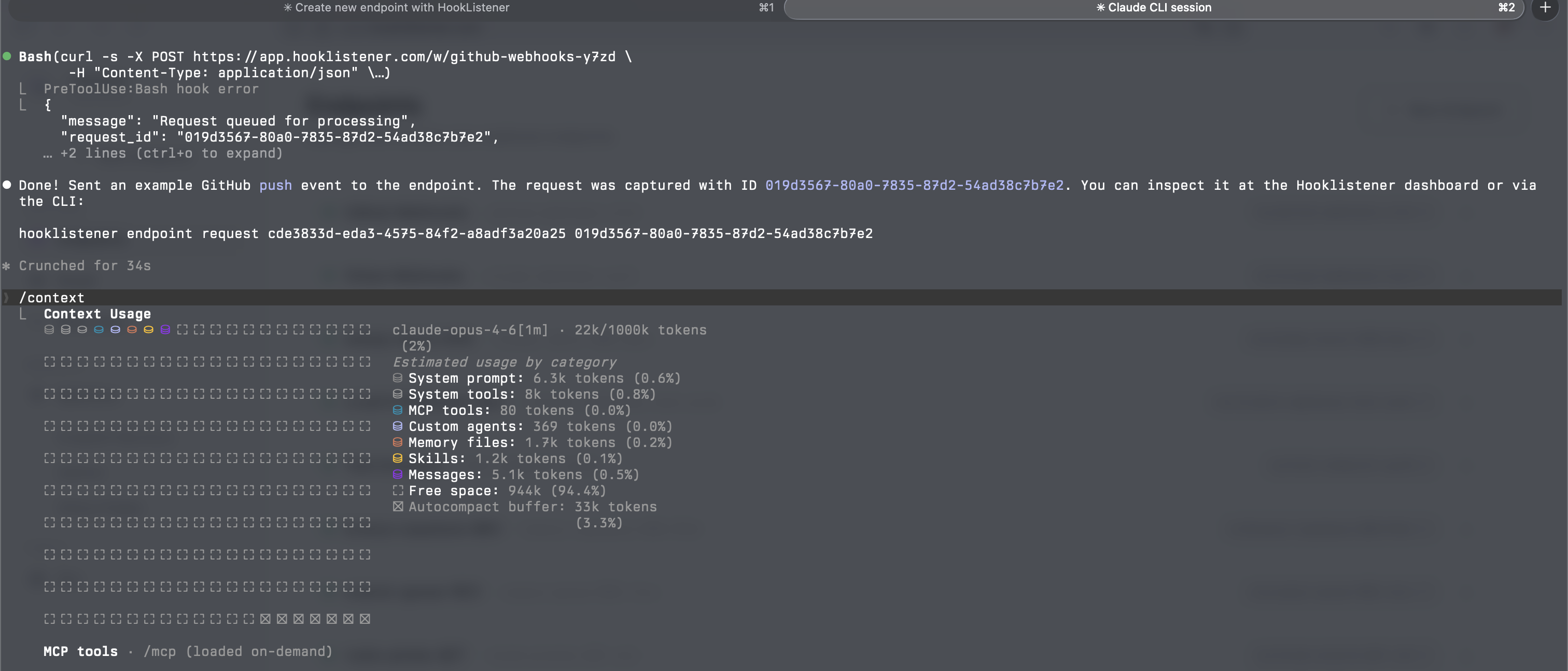
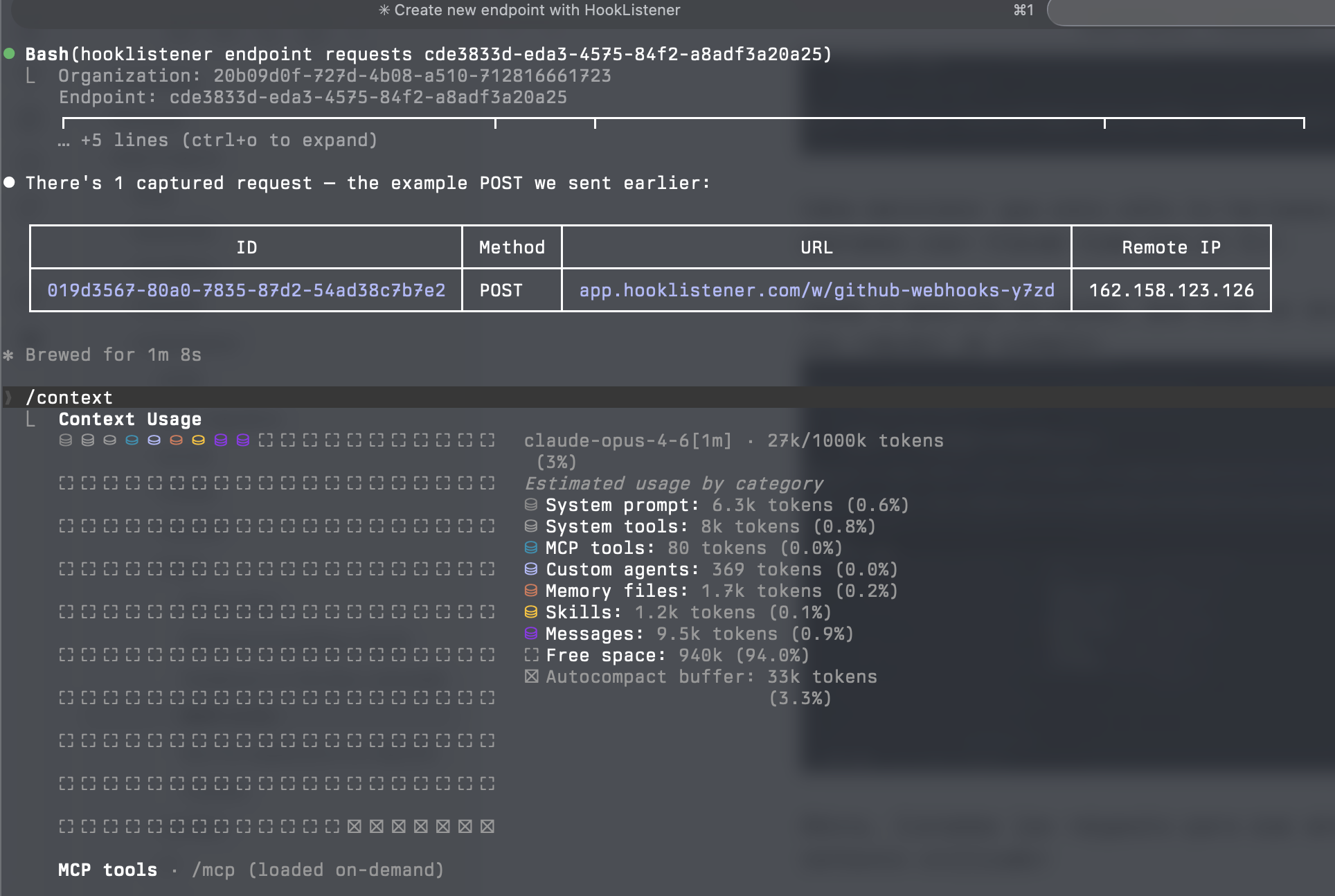
Let’s list the requests for that endpoint and check the context used:
And finally, we inspect the request details:
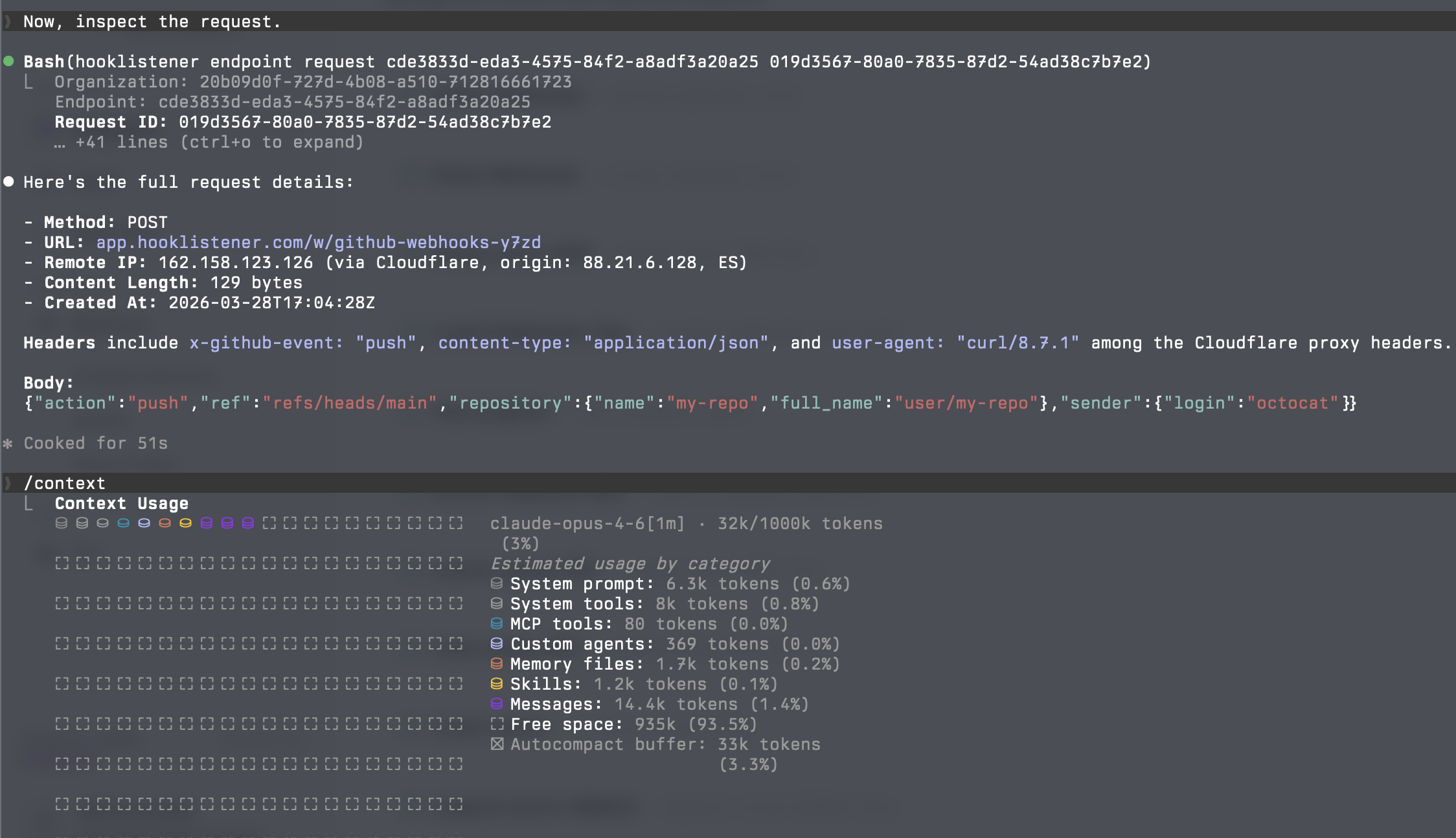
Surprise: the CLI consumed more tokens than the MCP.
Case 2: A Complex MCP (Many Tools)
This is where HumanLayer’s advice makes sense. When an MCP defines dozens of tools, the definitions take up a significant portion of the context — even before you start working:
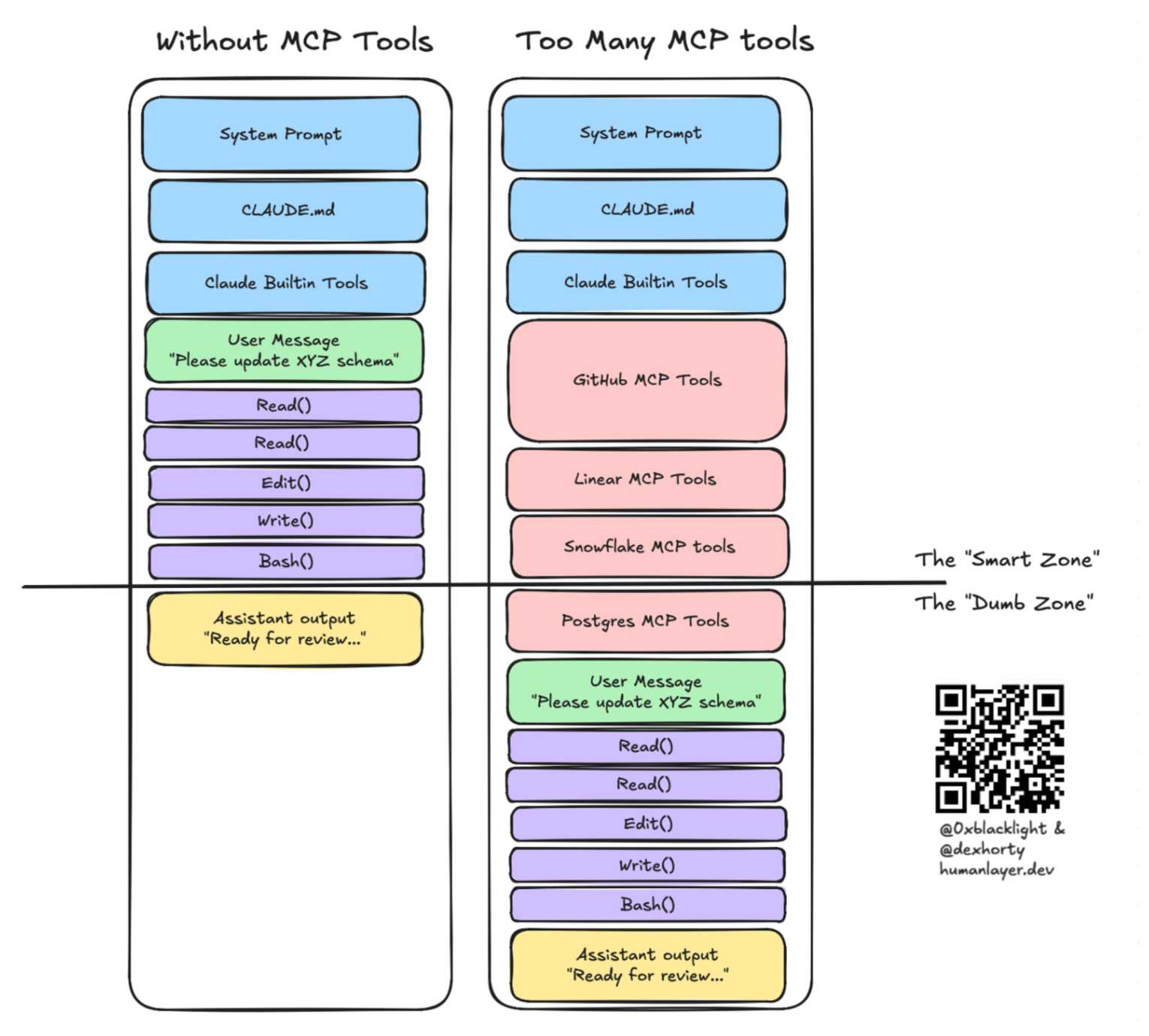
In these cases, a CLI with a subset of instructions in a skill is more than enough, and you avoid filling the context with tool definitions you probably don’t need.
Moreover, it’s not just about token count: recent studies show that irrelevant context degrades model response quality. Tool definitions you never use act as noise, reducing the model’s ability to reason about what actually matters.
Conclusion
The advice to “use a CLI instead of an MCP” isn’t universal. A more practical guide:
- MCP with few tools (~5 or less): use it directly. The overhead is minimal and the experience is smoother.
- MCP with many tools: consider using a CLI + a skill with only the instructions you need. You’ll save context and improve response quality.
- In both cases: keep your CLAUDE.md concise and use skills to surface information on demand, rather than loading everything upfront.
The key isn’t choosing MCP or CLI as dogma — it’s understanding how much context each option consumes and choosing based on the tool’s complexity.